My Desk
Conformance rating

Anatomy of search
Ok friends, let’s analyze the moments and aspects of the search experience. It’s not just quickly typing in a thing, finding what you need and skipping off into the distance. Let’s slow things down to appreciate each moment as people flow through the experience of search.
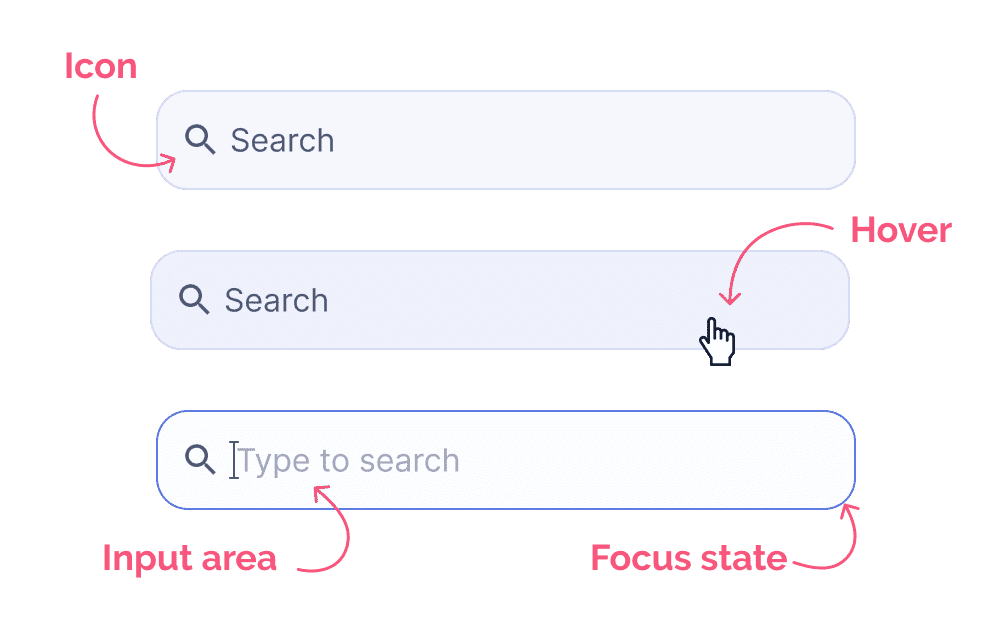
Accessing the search bar or search input
This is the part where someone hits the search input or search box. This is typically found in the top right corner in many experiences but they can be scattered around enterprise products especially surrounding lists, table views, etc. The complexity level fo your standard search box isn’t terribly high. Most of the interaction complexity comes later. But don’t downplay the importance of an excellent search input interaction, as it sets the tone for the test of your interactions in your search flow.
This experience often comes with a transition where the search area might increase in size to suit the input being manipulated and filled up.
Search bar best practices
Include a search icon which shows users a very noticeable hover state when hovered upon (ensure the keyboard shortcut to initiate search is also thought through, especially in cases where search is a common action)
Include the focus state when the input has been “clicked into”
Include some preset suggestions in the placeholder text (in cases where it isn’t clear what you can search for in an app)
Include what is being searched in the placeholder text. Ex. search entire website vs. search items in table below